



I still remember the first time a tool gave me exactly what I needed. That small win felt like teamwork. It showed how clear instructions and a tiny bit of care can turn a vague idea into a real result.
Prompt engineering is the skill of shaping short instructions so a model understands your intent. Add context, limits, and examples, and the tool will serve useful, on-target responses. This article will walk beginners step by step.
Anyone in the United States can try this without code. You only need plain language, curiosity, and the will to test. We will cover how prompts guide models like ChatGPT and DALL·E, and why clarity boosts accuracy and safety.
By the end, you’ll see practical wins: faster work, cleaner results, and safer interactions. Clear instructions bridge human intelligence and machine learning, making everyday tools more helpful.
What does prompt engineering refer to in generative AI?
A few careful words can steer a large model toward accurate, relevant output.
Prompt engineering means designing and refining the words and structure you use to ask an AI for what you want. It supplies context, explicit instructions, and examples so the system understands intent and returns useful information quickly.
Beginners should care because small edits often change results a lot. You do not need code or training data. Better phrasing improves accuracy for emails, summaries, brainstorming, and QA without building new models.
- Contrast with software engineering: that field builds systems; this approach shapes inputs so systems behave as needed.
- Contrast with training: training adjusts internal weights using large datasets; this process guides a pre-trained model at run time.
- Common techniques include zero-shot, few-shot, chain-of-thought, and prompt chaining.
| Focus | What it changes | Benefit |
|---|---|---|
| Phrasing & context | No model weights | Faster, safer outputs |
| Examples & format | Inference behavior | More relevant responses |
| Iteration | Prompt text only | Repeatable improvements |
What is a prompt for AI and how models use it
A well-shaped request makes text models deliver reliable, repeatable answers.
Definition: A prompt is the input message you send to a model to request an answer, summary, code snippet, or image description.
Prompts can be short questions, multi-part instructions, or structured templates with fields like audience, goals, and constraints. Clear instructions and example outputs inside the prompt raise the chance of a useful output.
From questions to structured instructions: common prompt formats
Common styles include natural language questions, direct commands, and structured inputs such as “Role: editor; Task: tighten prose; Constraints: 120 words.” Each format signals the desired response shape—bullets, steps, JSON, or plain paragraphs.
- Questions: quick queries that ask for facts or summaries.
- Commands: explicit tasks like “Summarize this text in five bullets.”
- Structured templates: fields for audience, tone, length, and examples.
Under the hood, a model predicts the next tokens based on patterns learned during pretraining. That prediction aligns the response with the wording, context, and examples you provided.
Why prompt engineering matters for accurate, relevant, and safe outputs
Clear instructions shape how a model answers and keep results useful.
Improving task performance and user experience
Better wording reduces vague or off-topic output by stating goals, scope, and intent. That clarity helps support agents, search tools, and writers get faster, higher-quality results.
Structured requests produce predictable formats, concise answers, and consistent tone. Teams see measurable gains when models return uniform responses for the same task.
Mitigating risks like injection and harmful responses
Careful prompts set boundaries and avoid unsafe instructions. Layered instructions, validation checks, and filters help block attempts that try to override system rules.
“Designing clear inputs is the first line of defense against adversarial text that aims to hijack an output.”
| Benefit | How it works | Practical result |
|---|---|---|
| Accuracy | Specify goal, scope, examples | Fewer off-topic responses |
| Safety | Set constraints and checks | Lower risk of harmful outputs |
| Reliability | Iterate using output data | Stable results in production |
Adding context, constraints, and sample outputs helps models retrieve or generate more relevant information. Simple techniques, like step-by-step guidance, unlock deeper capabilities for multi-step tasks.
Core principles: clarity, specificity, and contextual alignment
Start by naming the exact outcome you need and who will use it.
Clarity means stating the goal plainly: what you want, who will read it, and why it matters. This removes guesswork and speeds useful output.
Specificity adds limits: scope, length, required points, and any hard rules. Clear constraints help the system stay focused and consistent.
Contextual alignment offers relevant background, examples, and audience cues so the result matches voice and purpose. Good context reduces rework.
“Write the prompt, test it, note gaps, then add context or constraints and test again.”
- Use explicit instructions like “Use numbered steps” or “Include citations” to force consistent output.
- Pick a format—bullets, table, JSON, or paragraph—to speed reuse and parsing.
- Set style and tone: friendly, formal, or technical and concise.
Combine these practices as a simple approach: draft, test, iterate, and measure. Keep a checklist: goal, audience, constraints, context, examples, format, style, tone. Small wording changes often yield big gains.
Step-by-step: a friendly workflow for crafting effective prompts
Small, structured steps help turn loose ideas into consistent outputs.
Set goals, audience, and constraints
Define the task clearly: name the goal, the target audience, and any hard limits like length or scope.
Translate that goal into concise instructions using action verbs. This makes the process easier to evaluate.
Add context, examples, and formatting requirements
Supply relevant context such as background facts, inputs, or reference links so the model has the right material.
Include one or two examples that show the desired pattern or style. Specify the expected format early—bullets, sections, or JSON—to standardize outputs.
Iterate with follow‑ups and refine tone, length, and detail
Run a first step and score the results against your checklist. Note what’s missing or off-target.
Ask for incremental changes: tighten length, adjust tone, or add detail. Try alternate phrasings of key lines to find the most reliable approach.
- Document each iteration so you can reuse the best version for similar writing tasks.
Essential prompting techniques for beginners
Use clear tactics that shape model answers for common office and learning tasks.
Zero-shot, one-shot, and few-shot approaches
Zero-shot is a direct instruction with no examples. It fits straightforward tasks like summaries or short definitions.
One-shot and few-shot add a single or a few examples to teach the desired pattern and tone. Examples guide format and style without heavy setup.
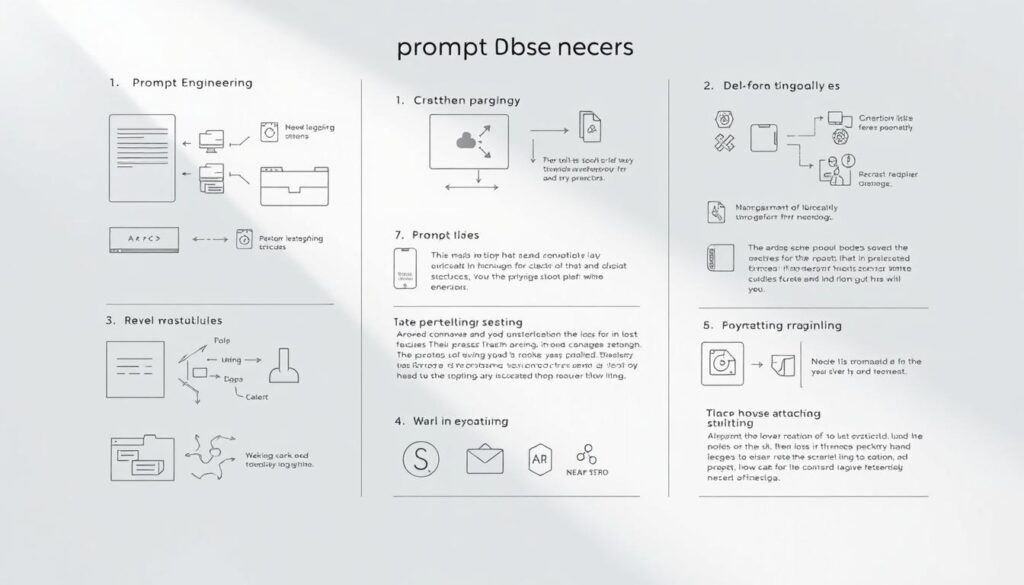
Chain-of-thought and zero-shot CoT for reasoning
Chain-of-thought asks the model to show steps when solving logic or multi-part problems. This method improves traceable reasoning.
Zero-shot CoT combines direct instructions with a request for steps, unlocking deeper answers even without prior examples.
Prompt chaining for multi-step tasks
Break a complex goal into smaller tasks. Use each intermediate response as the next input until the final deliverable is assembled.
This chaining reduces errors and makes long tasks easier to debug and refine.
Role-based prompting and explicit output formats
Assign a role such as “Act as a career coach” so the model interprets instructions with the right perspective.
Request an exact format like “Return JSON with title, bullets, actions” to standardize the response and speed reuse.
- Keep instructions minimal and focused to reduce ambiguity.
- Test methods and track which techniques yield the best quality for your workload.
- Combine few-shot with explicit format to boost reliability and cut revisions.
Hands-on examples across popular generative AI applications
Short, concrete examples make abstract techniques easy to reuse in daily tasks.
Language tasks: writing, summarization, translation, and dialogue
Writing example: “Write a 120-word, friendly product blurb for a U.S. audience, highlighting 3 benefits in bullets.”
Summarization example: “Summarize the following text in 5 bullet points focusing on key findings and limitations.”
Translation example: “Translate this paragraph from English to Spanish, preserving technical terms and formal tone.”
Dialogue example: “You are a helpful IT assistant. Respond concisely to: ‘My laptop fan is loud after startup.’”
Question answering: open-ended, specific, multiple choice, and hypothetical
- Open-ended: “Explain the trade-offs of serverless architectures.”
- Specific: “What is the capital of France?”
- Multiple choice: Provide options A–D and indicate the best answer with a brief rationale.
- Hypothetical: “What might happen if database backups fail during peak traffic?”
Code tasks: completion, translation, optimization, and debugging
Code examples help teams produce usable output fast. Try: “Write a Python function with docstring to compute factorial iteratively.”
Or: “Convert this Python snippet to JavaScript, preserving functionality and comments.”
For optimization or errors: “Optimize for time complexity” or “Explain and fix this NullPointerException.”
Image generation and editing: style, tone, and detailed descriptions
Image prompts work best with specifics: objects, scenery, lighting, and style. Example: “An impressionist painting of a rainy city street at night, warm lighting, soft brushstrokes.”
For edits: “Replace the sky with a star field and add a full moon; preserve foreground color balance.”
Tip: Add context and a short example output to improve relevance. Track results and use small experiments and basic research to refine prompts and data for each application.
Designing multi-turn conversations and adaptive prompts
Plan conversations where every exchange updates goals, choices, and limits.
Multi-turn design treats each reply as a building block. Each turn preserves key decisions so the model follows intent across the session.
Maintaining context and improving results over time
Summarize prior turns often to keep crucial facts fresh and avoid hitting context limits. Carry structured fields like role, audience, and constraints forward for consistent voice and output.
- Have the assistant restate requirements before major steps to confirm the planned response.
- Save a short session brief that lists goals, constraints, and recent choices for long exchanges.
- Refine the next input after each reply—add missing details or tighten format instructions.
- Use a standard opening system message plus reusable follow-up patterns for team workflows.
- Include evaluation criteria such as “Must include citations” so future responses match expectations.
Adaptive iteration steadily improves results as the model learns your style and needs. Keep messages concise but complete so responses stay focused and reliable.
“Iterate, confirm, and carry structured context—small checks yield steadier outcomes.”
Best practices, common pitfalls, and safety considerations
Small experiments with wording often reveal the fastest path to reliable outputs.
Be specific but keep instructions simple. State the goal, limits, and desired format. Too many rules can confuse a model and harm consistency.
Test multiple phrasings and techniques
Try short A/B experiments. Change a sentence or a constraint and compare results across models.
Record which phrasing gives steady, useful outputs and reuse that version as a template.
Avoid ambiguity, scope creep, and unsafe content
Ask clarifying questions when requirements are fuzzy. That prevents extra work and misaligned content.
Set guardrails to block harmful or biased outputs. Exclude private or regulated data from inputs.
- Quick checklist: clear goal, audience, constraints, examples.
- Prefer simple structure: role, task, format.
- Include source expectations for factual information or data-driven claims.
- Specify tone and style to keep content consistent across deliverables.
- Do light research to validate any critical facts before publishing.

“Treat this as an iterative craft: small, measured changes compound into reliable workflows.”
Conclusion
A simple, tested approach lets you shape requests that deliver consistent, useful results.
Recap: prompt engineering helps turn intent into reliable outputs by adding clarity, specificity, and context. Define the goal, set constraints, include an example, specify format, then test and refine step by step.
These techniques work across generative models and text, code, and image applications. Role, tone, style, and clear instructions align responses with brand voice and audience needs.
Ask focused questions, verify key information, and keep experiments small. Study courses or short tracks to deepen skills faster. As model capabilities grow, strong prompting will stay a practical way to guide intelligence toward your goals.
Author
MUZAMMIL IJAZ
Founder
Muzammil Ijaz is a Full Stack Website Developer, WordPress Specialist, and SEO Expert with years of experience building high-performance websites, plugins, and digital solutions. As the creator of tools like MagicWP and custom WordPress plugins, he helps businesses grow online through web development, SEO, and performance optimization.